Export endpoints for QGIS
Connect Dwell alert export endpoints directly into QGIS using OGC API Features, GeoJSON, or WFS services.
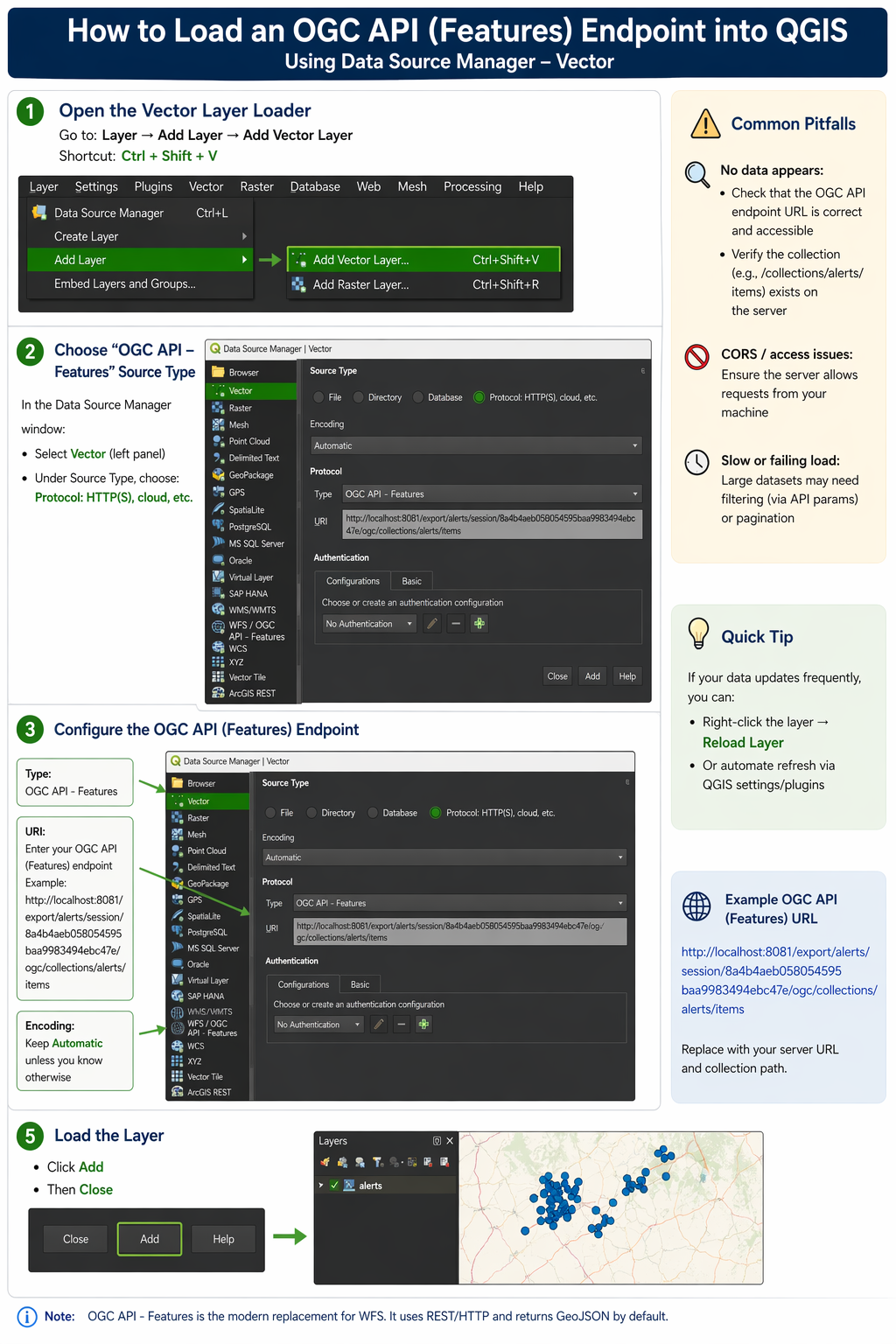
OGC API Features
RecommendedConnect directly to an OGC API Features endpoint from QGIS. Choose: Layer → Add Layer → OGC API Features and paste the endpoint URL.
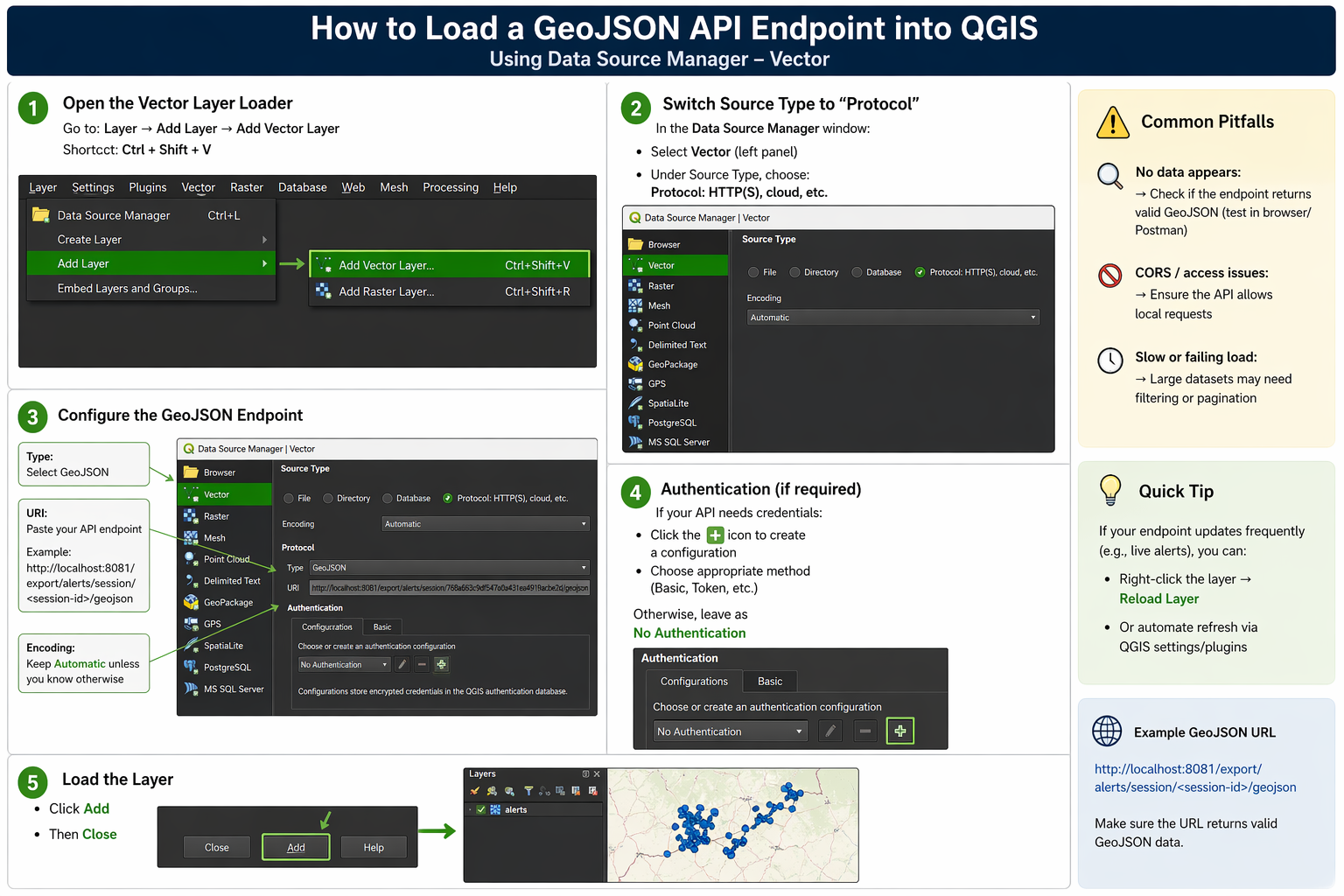
GeoJSON Endpoint
SimpleUse a GeoJSON endpoint when you want a lightweight, direct connection into QGIS. In QGIS select: Layer → Add Layer → Add Vector Layer → Protocol, then paste the GeoJSON endpoint URL.
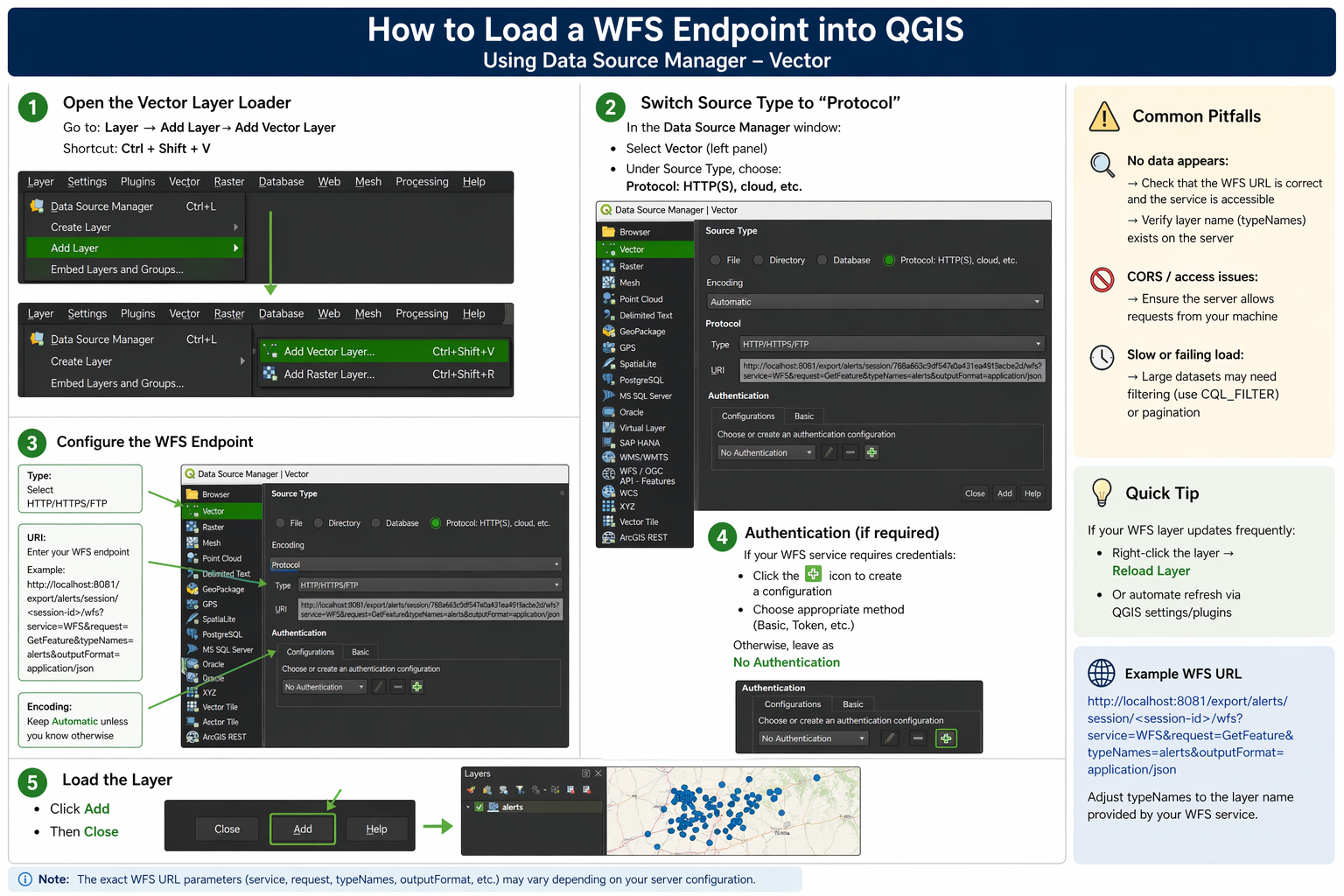
WFS Endpoint
AdvancedUse a WFS endpoint for standards-based feature access and interoperability with GIS workflows. In QGIS select: Layer → Add Layer → Add WFS / OGC API Features Layer, create a new connection, and paste the WFS URL.